
Five labs.
One serial
line.
Wire a sensor. Stream a number. Draw it. A Digital Challenge workshop that treats Arduino and Processing as one instrument.
- Labs
- 5
- Exercises
- 28
- Quiz Qs
- 27
- Benches
- 7
Every lab in this workshop is the same handshake: Arduino prints a line, Processing splits it, the screen becomes an instrument.
The five benches
Climate, light, distance, resistance, soil. Each lab is a dossier: theory, wiring from the handbook, cleaned firmware, exercises, quiz.
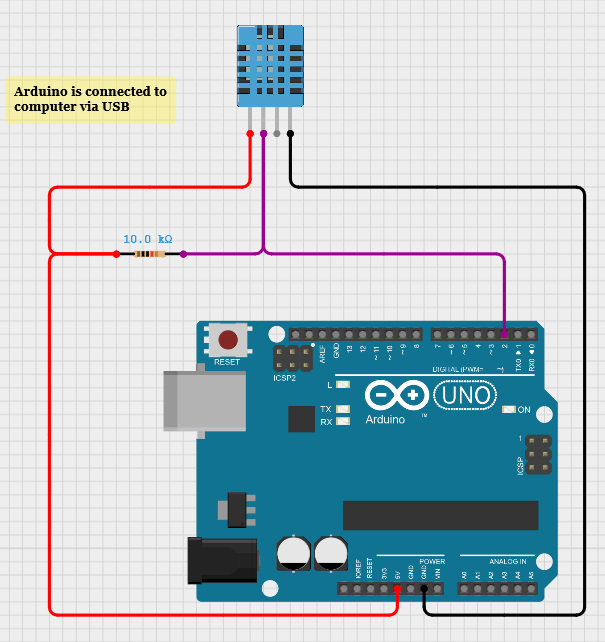
Climate Station — DHT11
Measure the air. Stream it. Draw it.
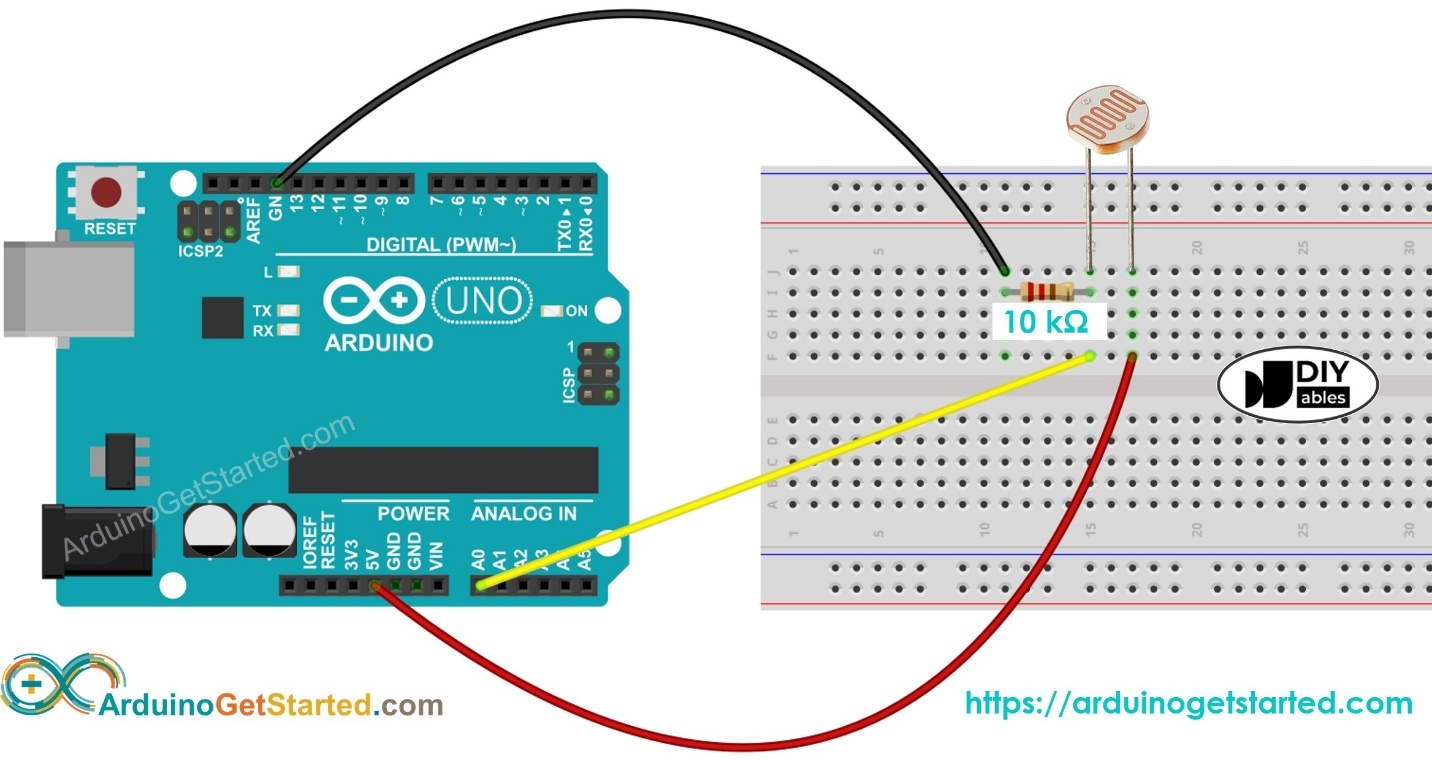
Light Meter — LDR
A resistor that sees.
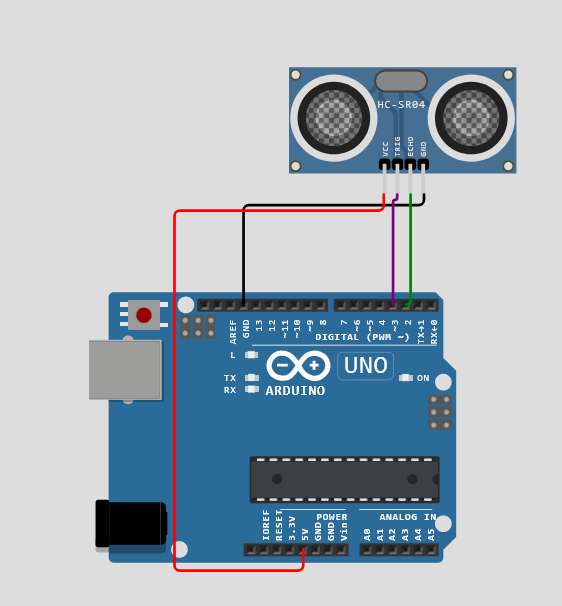
Distance, Servo & Radar
Sound out, echo back, sweep the room.
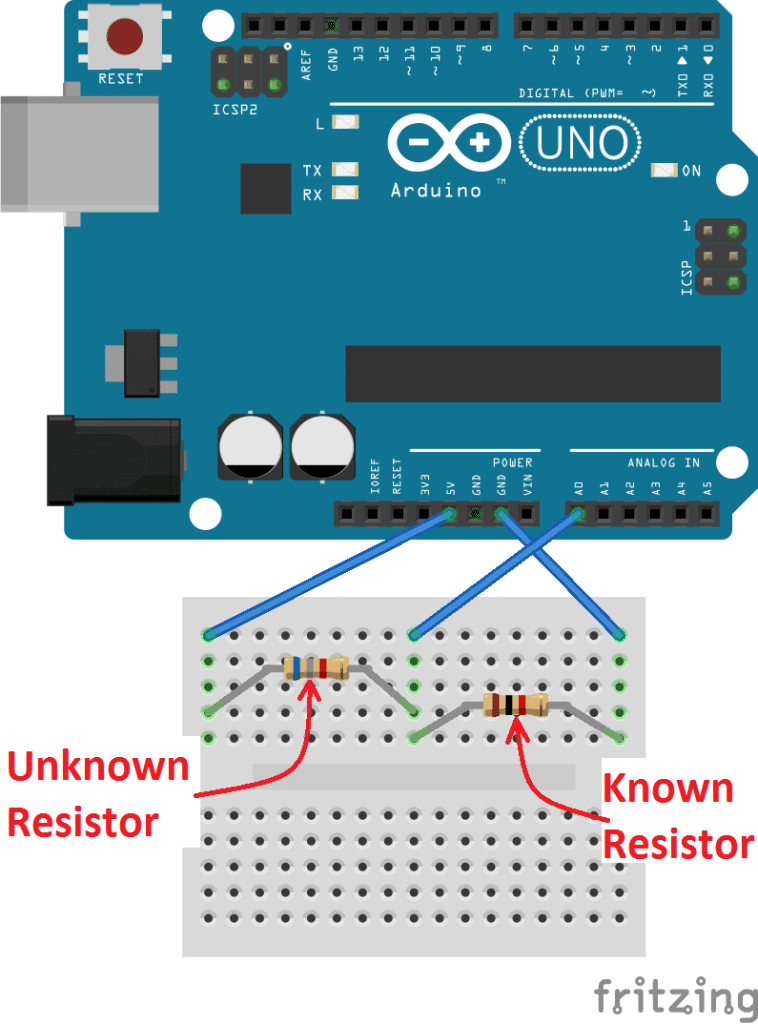
Ohm Meter
Measure a resistor with a resistor.
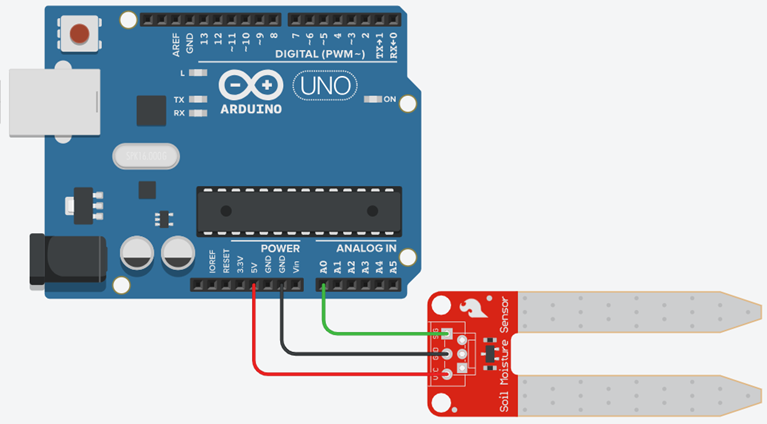
Soil Moisture
Ask the pot if it is thirsty.
Circuit plates
Every figure is lifted from Workshop_Tutorial_Arduino_with_Processing_Digital_Chalange.docx — the same photos students see on paper.
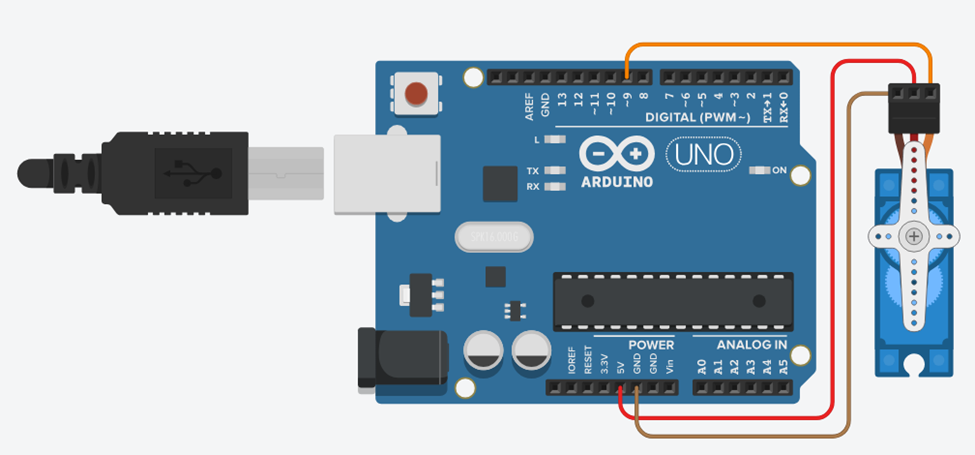
Forty-five minutes, four moves.
- 01Wire
Build the circuit from the plate. Trust the pin table if a figure is incomplete.
- 02Print
Open Serial Monitor. Confirm the contract (one line, numbers, newline).
- 03Draw
Close the Monitor. Run Processing. Change the COM index if the list lies.
- 04Prove
Do two exercises and the quiz. Mark them done — progress stays in this browser.
The original Tinkercad figure shows the DHT11 floating above the board — DATA is not drawn to pin 2.
Follow the pin table: VCC→5V, GND→GND, DATA→D2. Use a 10 kΩ pull-up on a bare 3-pin sensor.
The original sketch used HTML entities (`'`) and read serial inside `draw()`.
Use a real newline character and `serialEvent()` with `bufferUntil('\n')`.
Blocking `for` loops meant STOP was ignored until a full 0–180–0 sweep finished.
One `servo.write()` per `loop()`, check serial every step.
`pulseIn()` with no timeout can freeze for about 1 s when there is no echo.
Always pass a timeout, e.g. `pulseIn(echoPin, HIGH, 30000)`.
The handbook text used two opposite Ohm-meter formulas. The diagram labels unknown on the 5 V side.
R_x = R_known × (V_in / V_A0 − 1). Code, wiring table and figure now match.
The text says “capacitive v1.2”; the figure shows a two-prong resistive probe.
Either sensor works on A0. Capacitive probes last longer in wet soil; resistive probes rust. Calibrate dry / damp / wet for *your* probe.